
Introduction
Exceptions are a normal part of operating complex organizations. A security control may not be immediately implementable, a business process may temporarily deviate from policy, or a regulatory requirement may require remediation before full compliance can be achieved.
The challenge is not simply identifying an exception.
Organizations also need to know which exceptions are active, what risk they create, who owns them, when they must be reviewed, whether remediation is progressing, and which issues require management attention.
This is where exception reporting becomes important.
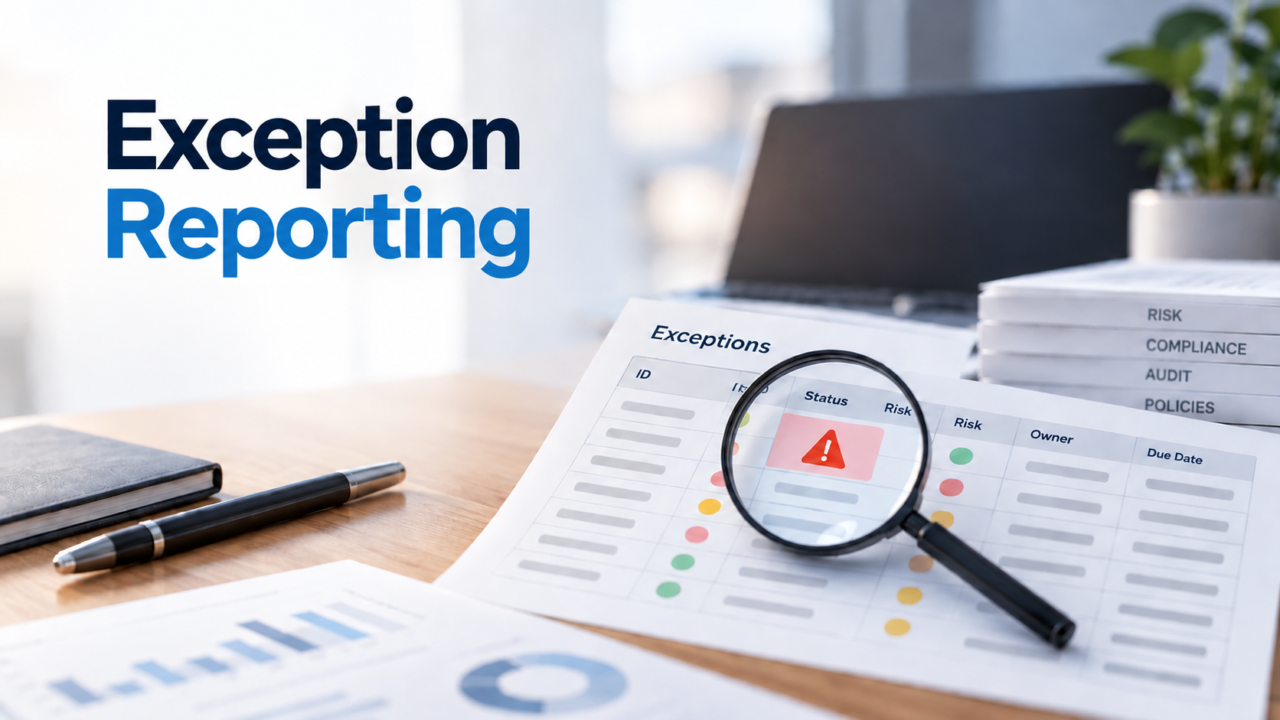
Effective exception reporting transforms individual exception records into structured governance information that helps risk, compliance, audit, security, and business teams track exposure, review decisions, monitor remediation, and drive resolution.
What Is Exception Reporting?
Exception reporting is the process of collecting, organizing, analyzing, and presenting information about exceptions so that stakeholders can monitor risk, accountability, status, remediation, review dates, and required actions.
An exception can represent a temporary or approved deviation from a:
- Policy
- Security control
- Compliance requirement
- Internal standard
- Business rule
- Regulatory requirement
- Operational procedure
- Risk threshold
An exception report brings the relevant information together so stakeholders can understand the current state of those deviations. A useful exception report should answer questions such as:
- What requirement or control is affected?
- Why does the exception exist?
- What risk does it create?
- Who owns the exception?
- Who approved it?
- What compensating controls are in place?
- When should it be reviewed?
- When does it expire?
- What remediation is underway?
- What evidence supports its current status?
The objective is not simply to count exceptions. The objective is to make exception exposure visible, measurable, and actionable.
What Is an Exception Report?
An exception report is a structured view of one or more exceptions, providing information about their status, risk, ownership, governance decisions, and remediation.
Different stakeholders may need different views of the same exception data.
Operational Teams
Which exceptions require action?
Risk Teams
Which exceptions create the greatest residual risk?
Compliance Teams
Which requirements have unresolved exceptions?
Internal Audit
Which findings or control exceptions remain open?
Management
Where is exception exposure increasing, and which issues require escalation?
Exception Reporting vs. Exception Management
Exception management controls what happens to an exception. Exception reporting shows what is happening across the exception population.
Exception management operates at the individual exception lifecycle level, while exception reporting provides portfolio-level visibility and analysis.
Why Is Exception Reporting Important in GRC?
Exceptions can occur across multiple governance functions. For example, an organization may have:
When these are tracked independently, management may see individual issues without seeing the larger pattern.
Consider an organization with 25 active exceptions. At first glance, the number may not appear significant. However, if 10 are high risk, 8 are overdue for review, 6 have been repeatedly renewed, and 5 relate to the same control, the underlying governance problem is much more significant.
This is why mature governance, risk, and compliance (GRC) programs look beyond exception volume and analyze:
What Should an Exception Report Include?
A useful exception report should provide enough information to understand both the
exception itself and the governance decision surrounding it.
Core Exception Information
- Exception ID
- Exception category
- Exception description
- Affected policy, control, or requirement
- Business justification
- Business unit
- Exception owner
- Date identified
- Current status
Risk Information
- Inherent risk
- Likelihood
- Impact
- Risk rating
- Residual risk
- Data sensitivity
- System criticality
- Regulatory impact
- Security impact
Governance Information
- Approval status
- Approver
- Approval date
- Compensating controls
- Review date
- Expiry date
- Renewal status
Remediation & Evidence
- Remediation owner
- Corrective action
- Target date
- Current status
- Outstanding actions
- Validation status
- Closure status
- Risk assessment evidence
- Approval and review evidence
- Remediation and closure evidence
Depending on the organization’s requirements, supporting evidence may include
business justification, approval evidence, risk assessment, control evidence,
review evidence, remediation evidence, and closure evidence. This creates a
more complete record for governance oversight and auditability.
Exception Reporting Workflow
Exception reporting should sit on top of the underlying exception lifecycle.
↓
↓
↓
↓
↓
↓
↓
How to Track Exceptions Effectively
1. Standardize Exception Records
Use standardized fields, categories, statuses, and risk ratings. A controlled status set could be:
Draft → Submitted → Under Review → Approved → Active → Under Remediation → Resolved → Closed
2. Track the Affected Requirement
Every exception should identify what requirement is being deviated from — policy, control, regulation, security standard, contractual obligation, internal procedure, or risk threshold.
3. Track Ownership
Every active exception should have a clearly accountable owner. Reporting should make it possible to answer: Who is responsible for this exception?
4. Track Review Dates
Reports should highlight reviews due, reviews overdue, reviews completed, and exceptions approaching review.
5. Track Expiry Dates
Useful reporting categories include: Expired, Expiring within 7 days, Expiring within 30 days, Expiring within 90 days.
6. Track Remediation
Distinguish between an exception that is actively being remediated and one that has simply remained open.
Open → In Progress → Pending Validation → Resolved → Closed
How to Review Exception Reports
Exception reporting should lead to governance decisions, not simply generate another periodic report. During a review, stakeholders should consider:
High-Risk Exceptions
Which exceptions represent the greatest residual exposure?
Overdue Exceptions
Which exceptions have exceeded their review or remediation dates?
Aging Exceptions
Which exceptions have remained open for an extended period?
Repeated Exceptions
Are the same policies or controls generating exceptions repeatedly?
Repeated Renewals
Are temporary exceptions becoming effectively permanent?
Ownership Concentration
Are particular teams or business units accumulating unresolved exceptions?
These questions turn exception reporting from basic status reporting into meaningful governance analysis.
How to Resolve Exceptions
Exception reporting should ultimately support resolution, not just visibility. A structured exception resolution process typically includes:
1. Identify the Root Cause
Determine why the requirement, control, or policy cannot currently be met.
2. Define the Remediation Action
Document the corrective action required to address the underlying issue.
3. Assign a Remediation Owner
Assign clear accountability for completing the corrective action.
4. Set a Target Date
Establish a realistic completion date based on the risk and business impact.
5. Implement the Corrective Action
Complete the technical, operational, process, or organizational changes required.
6. Validate Effectiveness
Verify that the corrective action has addressed the underlying issue and the required control is operating effectively.
7. Obtain Closure Approval
Where required, the appropriate control, risk, compliance, or management owner confirms closure criteria are satisfied.
8. Close With Evidence
Record the evidence supporting remediation, validation, and final closure.
Resolved means the corrective action has addressed the underlying issue. Closed means the required validation and governance steps have also been completed.
Compliance Exception Reporting
Compliance exception reporting focuses on deviations from regulatory requirements, internal policies, contractual obligations, compliance controls, or other defined requirements.
A connected compliance exception reporting model is:
This helps compliance teams determine not only where a requirement has been excepted, but also the associated risk, accountability, compensating controls, remediation, evidence, and resolution status.
Exception Reporting in Internal Audit
Internal audit teams can use exception reporting to monitor issues identified during audits, control testing, assessments, and follow-up activities. An effective internal audit exception report can help track:
A useful lifecycle is:
Exception Report Example
An exception report example typically combines exception details, risk, ownership, status, review dates, expiry dates, and remediation information in a single view.
Individual Exception Report
Management Exception Report
Individual Records → Aggregated Insight → Management Action
Exception Reporting Metrics and KPIs
A mature exception reporting program should measure more than the number of open exceptions.
Volume Metrics
- Total exceptions
- Active exceptions
- New exceptions
- Closed exceptions
- Exceptions by category
- Exceptions by business unit
Risk Metrics
- High-risk exceptions
- Critical exceptions
- Residual risk exposure
- Exceptions by control
- Exceptions by business function
Timeliness Metrics
- Overdue reviews
- Expired exceptions
- Average exception age
- Average approval time
- Average remediation time
Governance Metrics
- Exceptions without owners
- Exceptions without approval
- Exceptions without compensating controls
- Repeatedly renewed exceptions
- Exceptions exceeding approved duration
Remediation Metrics
- Exceptions under remediation
- Overdue remediation actions
- Remediation completion rate
- Exception closure rate
Exception Aging Analysis
Exception aging is one of the most useful indicators of governance effectiveness.
An increasing number of older exceptions may indicate delayed remediation, weak ownership, inadequate controls, unrealistic remediation timelines, repeated renewals, or structural process issues.
The important question is not simply “How many exceptions are open?” It is “How long have they remained open, and why?”
Exception Dashboard: What Should Management See?
An exception dashboard should provide a concise view of the organization’s current exception posture.
Exception Overview
Total active, pending approval, under review, expired, closed
Risk Distribution
Low, Medium, High, Critical
Exception Aging
0–30 days, 31–60 days, 61–90 days, 90+ days
Expiry Monitoring
Expiring soon, expired, renewal required
Ownership
Exceptions by owner, business unit, or function
Remediation
Open, in progress, overdue, completed
Trends: Track changes over time across Exception Volume → Risk → Aging → Remediation → Closure.
Common Exception Reporting Problems
Spreadsheet Dependency
Manual spreadsheets become difficult to maintain when exceptions require approvals, evidence, risk assessments, reviews, reminders, and remediation tracking.
Inconsistent Classification
Different teams may classify or rate similar exceptions differently, reducing the reliability of consolidated reporting.
Missing Ownership
An exception without clear accountability can remain open indefinitely.
Stale Reporting
A report generated periodically may become outdated when exception status, ownership, risk, or remediation changes.
Expired Exceptions
Without effective monitoring, exceptions can remain active beyond their approved period.
Limited Risk Context
A simple exception count does not show the organization’s actual exposure.
No Aging Analysis
Without aging information, long-running exceptions can remain hidden inside overall exception counts.
Disconnected Remediation
When remediation is tracked separately, management may not be able to determine whether open exceptions are actually progressing toward resolution.
Repeated Renewals
Repeated renewals can hide an underlying control or process weakness.
Exception Reporting Best Practices
How GRC Software Improves Exception Reporting
Manual exception reporting becomes increasingly difficult as organizations manage more exceptions, owners, approvals, reviews, evidence, and remediation activities. A GRC platform can provide capabilities such as:
The key benefit is not simply automation. It is the ability to use governed exception data across risk, compliance, audit, remediation, and management reporting.
Exception Reporting and Continuous Compliance
Exception reporting becomes particularly valuable when organizations move from periodic compliance assessments toward continuous compliance monitoring.
Traditional Model
Assessment → Report → Spreadsheet → Next Assessment
Connected Governance Model
Requirement → Control → Exception → Risk → Action → Monitoring → Reporting → Remediation → Closure
Exception Reporting vs. Risk Acceptance
An exception and a risk acceptance decision are related, but they are not identical.
An exception records and governs the deviation. Risk acceptance records the decision to accept the resulting residual risk.
↓
↓
↓
↓
↓
How ASPIA Supports Exception Reporting
ASPIA provides a structured approach to exception governance through workflows covering requests, review, approval, compensating controls, monitoring, expiry, renewal, and closure. Exception reporting builds on this lifecycle by providing visibility into the exception population and its associated governance data.
Risk Visibility
Understand exception exposure based on risk and business context.
Ownership Tracking
Identify accountable owners and business areas responsible for outstanding exceptions.
Approval Visibility
Track exception decisions and approval status.
Review & Expiry Monitoring
Identify exceptions approaching review or expiry and those requiring follow-up.
Remediation Tracking
Monitor corrective actions and progress toward resolution.
Governance Reporting
Provide management with visibility into exception volume, risk, aging, ownership, remediation, and closure.
Exception Reporting in a Connected GRC Model
The strongest exception reporting model does not treat exceptions as isolated records. Instead, an exception can be connected to the governance objects and activities around it:
↓
↓
↓
↓
↓
↓
↓
↓
↓
Frequently Asked Questions
Conclusion
Exception reporting is more than a list of open exceptions.
A mature exception reporting process helps organizations understand:
When exception data is connected with risk management, compliance, internal audit, controls, remediation, and governance workflows, organizations gain a clearer view of their governance posture and residual exposure.
Effective reporting also helps ensure that exceptions do not become permanent workarounds. By monitoring risk, ownership, aging, review, expiry, remediation, and closure, organizations can make better-informed governance decisions.
ASPIA helps operationalize this approach by connecting exception governance with ownership, risk, approvals, monitoring, remediation, expiry management, and governance reporting.
Operationalize Exception Reporting with ASPIA
Track exception exposure, review risk, monitor remediation, and give management the visibility needed to drive resolution.

