Download Free Audit Observation Excel Template
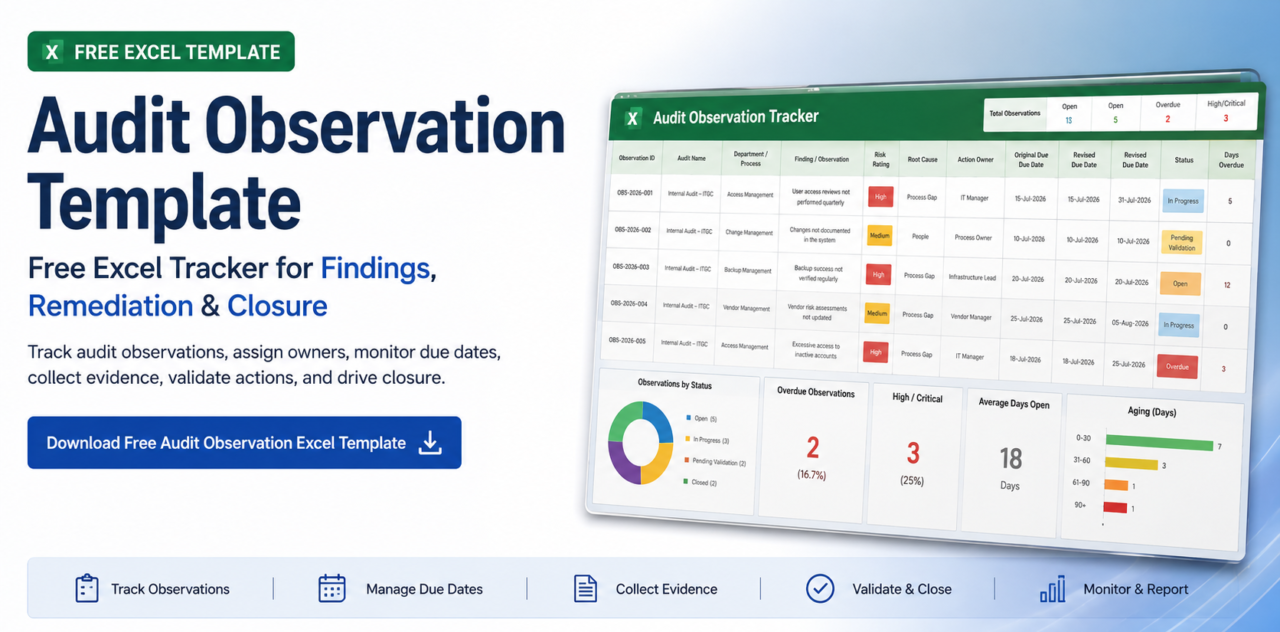
We have created a ready-to-use Audit Observation Tracker Excel Template for internal audit, compliance, risk, information security, and assurance teams.
Audit Observation Tracker Excel Template
Includes Observation Register, Risk Rating, Root Cause, Action Plan, Due Dates, Evidence, Validation, Aging, and Dashboard
What Is an Audit Observation Template?
An audit observation template is a structured format used by auditors and management teams to document, assign, monitor, remediate, and close issues identified during an audit.For a broader explanation of the audit observation lifecycle, remediation process, and closure governance, see our Audit Observation Management Guide.
A good template should capture more than the observation itself. It should provide visibility into:
- What was identified → Why it happened → Who owns it → What action is required
- When it is due → What evidence was provided → Whether the action was validated →
- Whether the observation is closed
What Is an Audit Observation Tracker?
An audit observation tracker is a register used to monitor the status of audit observations throughout their lifecycle.
A basic tracker may contain only: Observation, Owner, Due date, and Status. However, an enterprise audit observation tracker should also capture:
- Risk rating
- Root cause
- Management action plan
- Original due date
- Revised due date
- Extensions
- Closure evidence
- Validation
- Aging
- Overdue status
Why Organizations Need an Audit Observation Tracker
1. Unclear Ownership
An observation assigned only to a department may not have a clearly accountable individual.
2. Missed Due Dates
Auditors may have to manually check every observation to identify overdue actions.
3. Multiple Versions
Different stakeholders may maintain different copies of the same tracker.
4. Missing Closure Evidence
Evidence may remain in email conversations rather than being associated with the observation.
5. Limited Management Visibility
Senior management may not have a real-time view of open, overdue, high-risk, or aging observations.
6. Difficult Follow-up
Auditors spend significant time sending reminders and requesting status updates.
What’s Included in the Excel Template
Observation Register
- Observation ID
- Audit name & period
- Department / process
- Finding description
- Risk rating
- Root cause
- Action plan
Due Date & Extension Tracking
- Action owner
- Original due date
- Revised due date
- Extension count
- Extension reason
- Effective due date
Closure & Validation
- Status
- Closure evidence
- Validation status
- Validated by
- Validation date
- Closure date
Dashboard
- Days open
- Days overdue
- Aging bucket
- Management dashboard
Effective closure depends on relevant and sufficient supporting evidence. Learn more about audit evidence collection, validation, and evidence organization in our complete guide.
Essential Fields
Audit Observation Management Lifecycle
Audit observations are typically generated during audit execution, which is why a structured audit program is important for defining procedures, testing, evidence requirements, and follow-up activities.
→
2. Document
→
3. Assess Risk
→
4. Assign
→
5. Remediate
→
6. Submit Evidence
→
7. Validate
→
8. Close
Excel Tracker vs Audit Observation Management Software
How to Automate Audit Observation Management
Automated Assignment
When an observation is raised, it can be assigned to the responsible owner.
Automated Notifications
Reminders for new observations, upcoming due dates, overdue actions, and validation decisions.
Automated Escalation
If an observation remains unresolved beyond thresholds, escalation notifications are sent to managers.
Centralized Evidence
Remediation evidence is associated directly with the observation instead of being scattered across email.
Validation Workflow
Action owner submits evidence; auditor performs independent validation.
Real-Time Dashboards
Management can immediately see open observations, overdue items, high-risk findings, aging, and trends.
How to Automate Audit Observation Management with ASPIA
Organizations that have outgrown spreadsheets can use ASPIA Audit Management Software to centralize and automate the observation lifecycle.
Observation Tracking
Create and manage observations with structured information: risk, owner, action plan, due date, status, and evidence.
Remediation Workflow
Move observations through defined remediation and closure stages while maintaining accountability.
Due-Date Monitoring
Track original and revised deadlines and identify observations requiring attention.
Automated Notifications
Reduce manual follow-up by using system-driven notifications and reminders.
Evidence Management
Maintain remediation evidence alongside the relevant observation.
Connected GRC
Audit observations can be connected with broader risk and compliance processes.
When Should You Move From Excel?
A dedicated internal audit management platform becomes more useful when organizations manage multiple audits, business entities, action owners, high-risk findings, evidence-heavy remediation, and formal validation workflows.
Excel is Sufficient When:
- Few observations
- Single audit team
- Simple follow-up
- Limited reporting
Consider Automation When:
- Multiple audits
- Multiple entities
- Hundreds of observations
- Multiple action owners
- High-risk findings
- Frequent extensions
- Evidence-heavy remediation
- Formal validation
- Management escalation
- Regulatory reporting
Best Practices
Frequently Asked Questions
Conclusion
An audit observation is only valuable when the organization acts on it. A structured audit observation template provides the foundation for documenting findings, assigning accountability, tracking remediation, monitoring deadlines, collecting evidence, and validating closure.
For smaller audit teams, an Excel-based audit observation tracker can be an effective starting point. As audit volumes and governance requirements increase, organizations can move toward automated observation management with centralized workflows, notifications, evidence management, validation, escalation, dashboards, and audit trails.
The objective is simple: Identify the issue → Assign accountability → Drive remediation → Submit evidence → Validate the fix → Close the observation.
Ready to Move Beyond Spreadsheets?
ASPIA can help automate the audit observation lifecycle as part of a broader audit management and GRC workflow.